

User Investigation
User Investigation
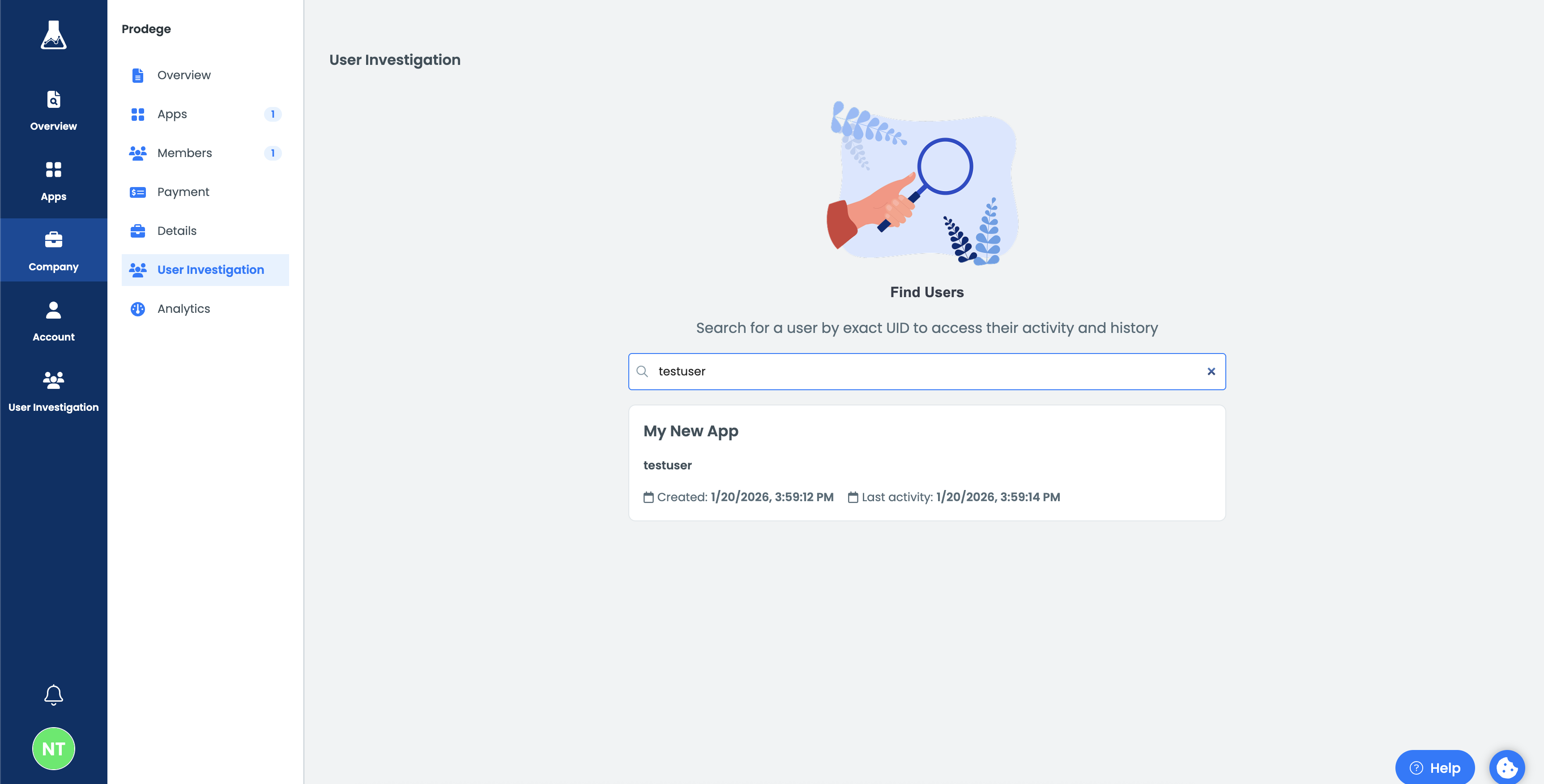
The User Investigation section in the BitLabs Dashboard gives publishers visibility into how individual users interact with BitLabs products. It provides a unified view of user activity across the Offerwall and API integrations, allowing you to review user behavior, earnings, and transaction history in one place.
This section is intended for monitoring, review, and investigation purposes.
What you can do
Inspect a single user
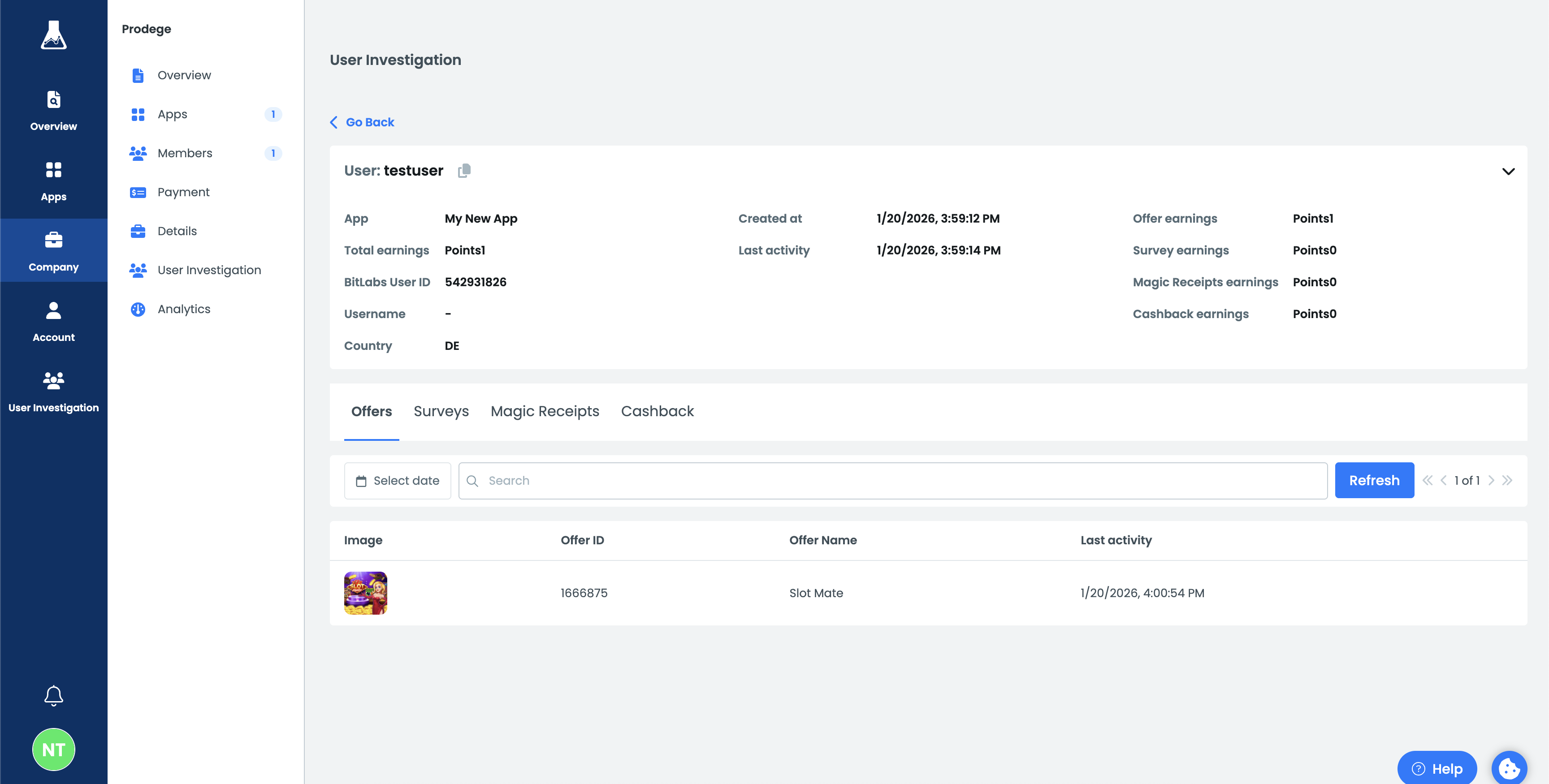
By selecting a user, you can open a detailed view showing:
- General user information and status
- A breakdown of earnings across BitLabs products
- The user’s recent activity
This view helps you understand where a user’s rewards are coming from and how actively they are engaging with your integration.
Review product-level activity
For each user, you can review detailed activity across different BitLabs products:
- Offers – See which offers a user has interacted with and review the status of individual offer events.
- Surveys – Review survey transaction history and outcomes.
- Magic Receipts – Inspect receipt-related transactions and their results.
- Cashback – Review cashback conversions and their statuses.
Each section supports filtering by date, status, and search, making it easy to focus on relevant activity.
Example use cases
Debugging user-reported issues
If a user reports missing rewards, you can search for their User ID and review their transaction history to see which actions were recorded and their current status.
Quality and compliance checks
You can monitor user behavior patterns, identify users with abnormal activity, and review banned users directly from the dashboard.
Operational insights
Understand which products (offers, surveys, receipts, cashback) are most commonly used by a user.
Updated 9 months ago